We use cookies to make your experience better. To comply with the new e-Privacy directive, we need to ask for your consent to set the cookies. Learn more.



Dr Dabber Ghost 2 Vaporizer Complete Guide

Age Verification
Please confirm you are over 18 to visit this website
-
November 19, 2025
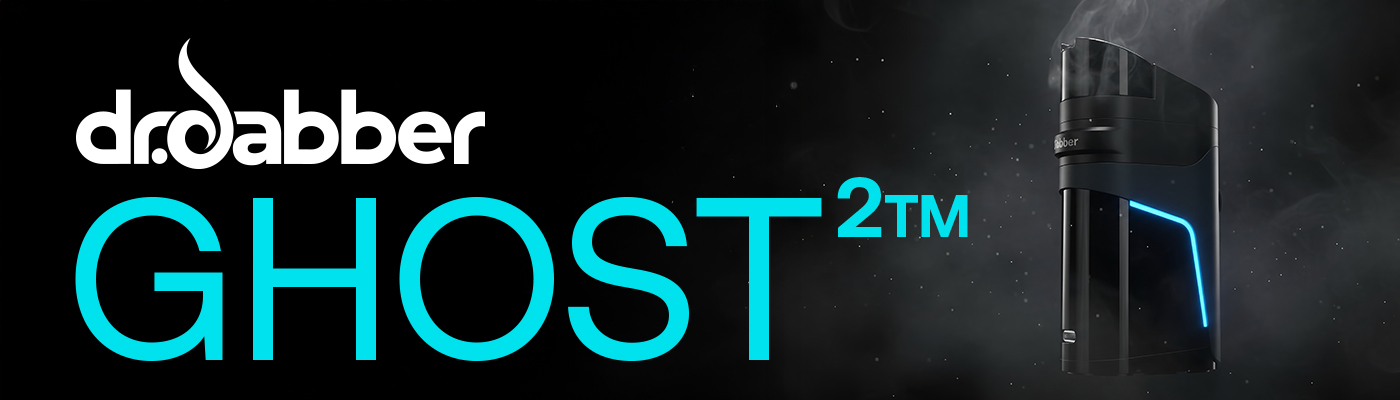
The Dr Dabber Ghost 2 Vaporizer is one of the most exciting new releases in the concentrate vaping world. As an official successor to the original bestselling Ghost wax pen, the Ghost 2 brings modern innovation, intelligent heating technology, and an upgraded flavour experience to the most compact and portable wax vaporiser format.
Whether you're looking for the best low-temp dab flavour, smoother vapour, more control over heat profiles, or a reliable daily companion with fast USB-C charging, this device is designed to deliver all of that and more.
In this in-depth guide, we break down everything you need to know about the Ghost 2, including:
-
Full overview of new features
-
Ghost 2 temperature settings
-
Dynamic Heating Modes explained
-
How to load & use the device
-
e-Chamber longevity & replacement
-
Recalibration steps
-
Ghost 2 troubleshooting
-
Cleaning & maintenance
-
Charging and battery info
-
Expert tips for best performance
What Is the Dr Dabber Ghost 2 Vaporizer?

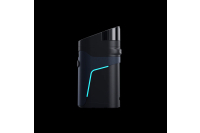
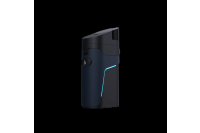
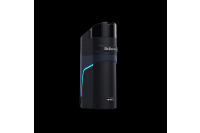
The Dr Dabber Ghost 2 is a next-generation portable wax vaporizer engineered for flavour preservation, smooth airflow, and intelligent temperature control. It's designed for concentrate users who prefer the simplicity of a pen-style device but want performance closer to an eRig.
Some standout upgrades include:
-
Intelligent Dynamic Heating Modes
-
A deep bucket-style heating chamber
-
Glazed ceramic vapour pathway for pure flavour
-
Five precision temperature settings with LED feedback
-
USB-C fast charging with true pass-through use
-
A painted ceramic mouthpiece
-
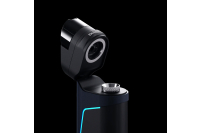
Magnetic flip lid
-
Advanced safety protections
-
Vibration (haptic) feedback
This is more than just a portable dab pen — it’s a compact, smart, flexible, and premium device built for both flavour chasers and cloud lovers.
Ghost 2 Temperature Settings Explained
The Ghost 2 features five precision temperature settings, each indicated by a different LED colour. These settings give users full control over their session style — whether they prefer low-temp terp flavour or more vapour-heavy hits.
Here are the Ghost 2 temperatures:
| Colour | Temperature (Approx.) | Best For |
|---|---|---|
| Purple | 420°F | Maximum flavour |
| Blue | 450°F | Light vapour & flavour balance |
| Cyan | 480°F | Balanced terp/flavour/clouds |
| Yellow | 510°F | Robust vapour production |
| White | 540°F | Maximum clouds |
Lower temperatures preserve delicate terpenes, creating smoother, more flavourful hits.
Higher temperatures maximise vapour density and intensity.
Switching temperatures is easy:
-
Click the button once to show the current setting
-
Click again within 3 seconds to change it
The LED will pulse to confirm the new temperature.
Dynamic Heating Modes — The Feature That Makes the Ghost 2 Stand Out

The Ghost 2 doesn't just let you choose a temperature — it lets you choose how the device behaves during your session using Dr Dabber’s latest innovation: Dynamic Heating Modes.
The three Dynamic Heating Modes are:
1. Descent Mode (Downward LED Animation)
-
Temp slowly decreases after initial heat-up
-
Mimics the natural cooling of a quartz banger
-
Perfect for low-temp flavour lovers
-
Default mode
2. Ascent Mode (Upward LED Animation)
-
Temp gradually rises during the session
-
Replicates “torching a banger” as you inhale
-
Ideal for thicker clouds and stronger hits
3. Steady Mode (Pulsing LED Animation)
-
Maintains a consistent temperature throughout
-
Similar to how eRigs operate
-
Best for users who want predictable, stable performance
This level of heat adaptability is rare in portable devices. The Ghost 2 makes temperature behaviour customisable in a way that mirrors advanced desktop or eRig setups.
Switching modes is simple:
-
Click the button three times to cycle through modes
-
LED animation shows which mode you are in
The Ghost² also remembers your temperature and mode, even after powering off.
How to Use the Dr Dabber Ghost 2 – Step-by-Step Guide
Using the Ghost 2 is easy, whether you’re a beginner or a seasoned dabber. Here's the complete guide:
1. Turn the device on/off
Hold the button for two seconds.
2. Choose your temperature
-
Click once → shows current temp
-
Click again within 3 seconds → cycles to next temp
3. Select your Dynamic Heating Mode
Click three times to switch modes.
4. Load your concentrate correctly
-
Flip open the magnetic top
-
Load ½ a pea-sized amount
-
Place it directly on the bottom of the heating chamber
-
Close the lid
Overloading reduces airflow and vapour output.
5. Start a heating cycle
-
Click twice
-
LED pulses red while heating
-
Turns green and vibrates when ready
Take slow, deep inhales for the best results.
6. Cancel a heating cycle (if desired)
Click once during heating to cancel.
Understanding the Ghost 2 e-Chamber: Lifespan, Replacement & Recalibration
One of the most important parts of the Ghost 2 Vaporizer is the e-Chamber — a consumable element that naturally wears over time.
How long does an e-Chamber last?
Typically 3–12 months, depending on:
-
Frequency of use
-
Cleaning habits
-
Temperature levels
-
Preferred concentrates
Signs your e-Chamber needs replacing:
-
Burnt flavour
-
Cracked or damaged dish
-
Dark, crusted residue
-
Poor vapour production
-
Leaking
-
Heating inconsistencies
Important: e-Chambers are consumables and not covered under warranty.
How to Recalibrate a New e-Chamber
Every time you install a new e-Chamber, the Ghost 2 must be recalibrated:
-
Turn off the device and unplug it
-
Let both the device and chamber sit for 15 minutes
-
With the unit off, click the button 4 times, holding on the 4th
-
Watch the LED:
-
Green x3 = Successful calibration
-
Red x3 = Failed — retry after checking connections
-
This ensures accurate temperature performance.
Battery Life, Charging & Pass-Through Use
The Ghost 2 uses USB-C fast charging, making it faster and more reliable than older models.
Charging features include:
-
Approx. 1-hour full charge time
-
Around 20 heating cycles per charge
-
Pass-through charging (use the device while charging)
-
Auto shut-off after 15 minutes
-
Battery indicator LEDs
Battery Indicator Levels:
-
Green: 70% or higher
-
Yellow: 30–70%
-
Red: Below 30%
To check battery level: click 4 times while the device is on.
Dr Dabber recommends only using the official charging cable included with the Ghost 2.
Cleaning the Ghost 2 – The Complete Maintenance Guide
Regular cleaning preserves flavour, airflow, and e-Chamber lifespan.
Cleaning Steps:
1. Remove mouthpiece components
Detach the mouthpiece, silicone top, and airflow regulator.
2. Soak components
Place these parts in isopropyl alcohol (ISO) for up to 20 minutes only.
3. Clean the e-Chamber
Never soak the e-Chamber.
Instead:
-
Warm it for 3–5 seconds
-
Wipe residue with a dry cotton swab
-
Then use a lightly ISO-dipped swab
-
Heat again for 3–5 seconds to evaporate leftover ISO
4. Air dry
All parts should air dry for 20+ minutes.
5. Reassemble
Replace airflow regulator, silicone top, and mouthpiece.
Avoid ISO on the device shell — it may damage the exterior.
Never dry burn the e-Chamber.
Troubleshooting the Dr Dabber Ghost 2 – LED Errors & Fixes
The Ghost 2 is designed with multiple software-based protections.
Fault & Warning Lights:
-
Yellow x3: e-Chamber connection issue or dead chamber
-
Red x3: Device overheating
-
Pink x3: Short circuit or PCB fault
Device won’t heat? Try this checklist:
-
Ensure the battery is charged
-
Confirm the chamber is fully threaded
-
Clean contacts
-
Recalibrate the e-Chamber
-
Replace worn chambers
How to reset the Ghost 2
If the device is stuck or unresponsive:
-
With the unit off, click 8 times, holding on the 8th
-
LED flashes red → green → blue to confirm reset
Why the Dr Dabber Ghost 2 Is One of the Best Wax Vaporizers of 2025
The Ghost 2 Vaporizer delivers an incredible balance of:
-
Portability
-
Intelligent temperature control
-
Adaptive heating profiles
-
Premium ceramic flavour
-
Safety protections
-
Ease of use
Few portable wax pens offer this level of precision and customisation. Dynamic Heating Modes alone make it stand out from competitors, giving users heat behaviour that mimics quartz bangers or eRig stability — all in a device small enough to fit in your pocket.
With clean vapour pathways, dynamic heating settings such as descent mode, a ceramic bucket chamber, USB-C fast charging, and haptic feedback, what more could you want?
Recent Posts
-
New Arrivals from Night Owl Seeds: The Banana OG Collection Has Landed
 July 14, 2026
 -
New Perfect Tree Cannabis Seeds Arrive at Pure Sativa: Peach Moon Cake, Chillatozz, Bananozz & Venice Peach
 July 10, 2026
 -
Puffco Plasma Collection Drops Today at Pure Sativa: Peak Pro 3DXL Device, 3DXL Chamber & Hot Knife
 July 8, 2026
 -
RipTip Review: Premium Reusable Glass Tips at Pure Sativa
 July 7, 2026
 -
New Archive Seedbank Strains at Pure Sativa: 8 Regular Seeds Now Available
 July 3, 2026